> ## Documentation Index
> Fetch the complete documentation index at: https://docs.tessera.edstratumlabs.ai/llms.txt
> Use this file to discover all available pages before exploring further.
# Screens
> Every prototype screen and the clickable learner flow, captured from the live build.
Tessera has 8 prototype screens across 4 roles, plus a clickable learner prototype. These images are captured automatically from each build, so they always match the [live site](https://tessera.edstratumlabs.ai/).
## Learner
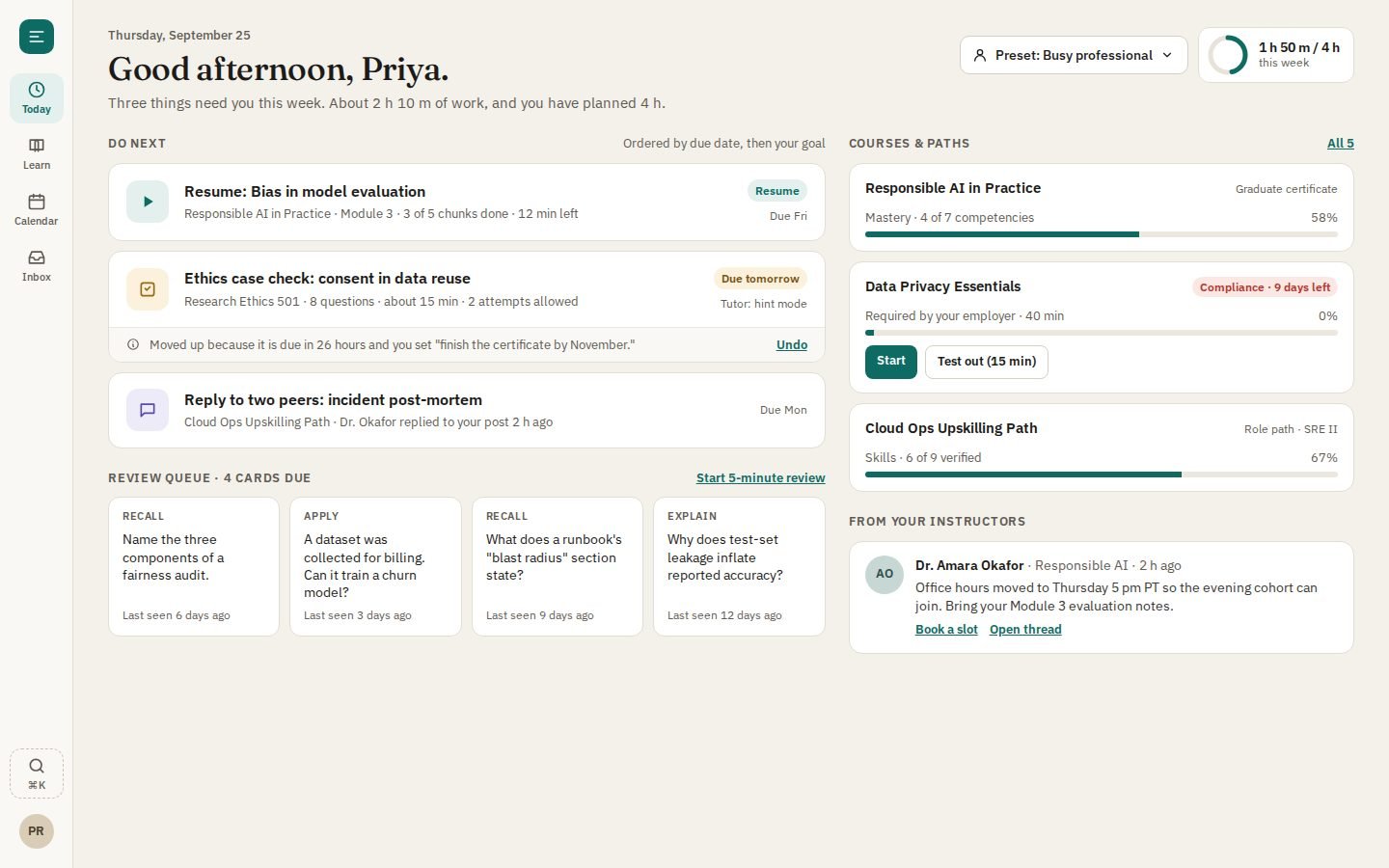
### Adaptive Today dashboard (learner)
Adaptive Today dashboard: one cross-course 'Do next' list, weekly time budget, spaced-review queue, persona preset, and a visible 'why this moved · Undo' strip.
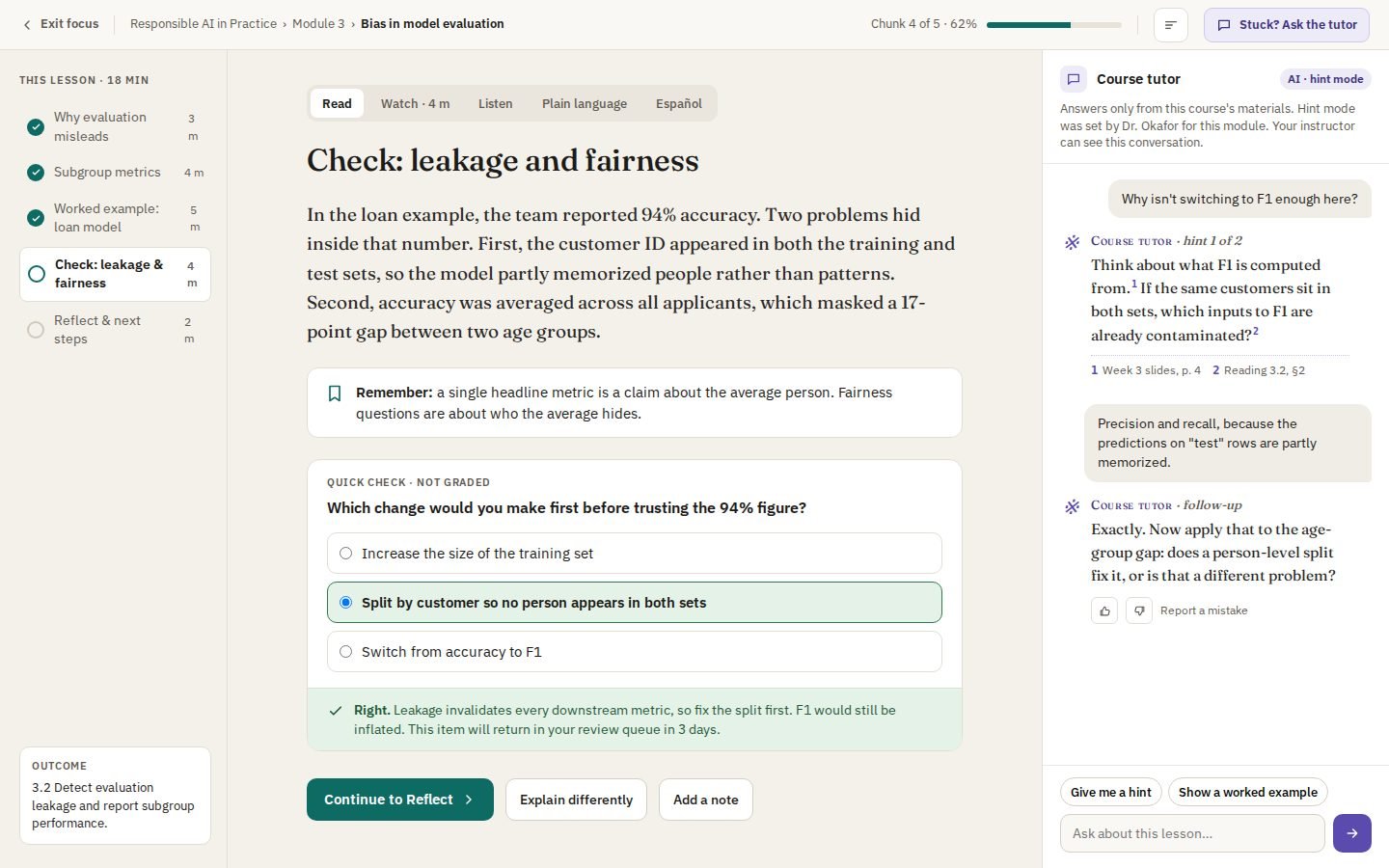
 ### Focus lesson player (learner)
Focus lesson player: single reading column, chunk rail with time estimates, format switcher, inline knowledge check, and a hint-mode tutor that cites course sources.
### Focus lesson player (learner)
Focus lesson player: single reading column, chunk rail with time estimates, format switcher, inline knowledge check, and a hint-mode tutor that cites course sources.
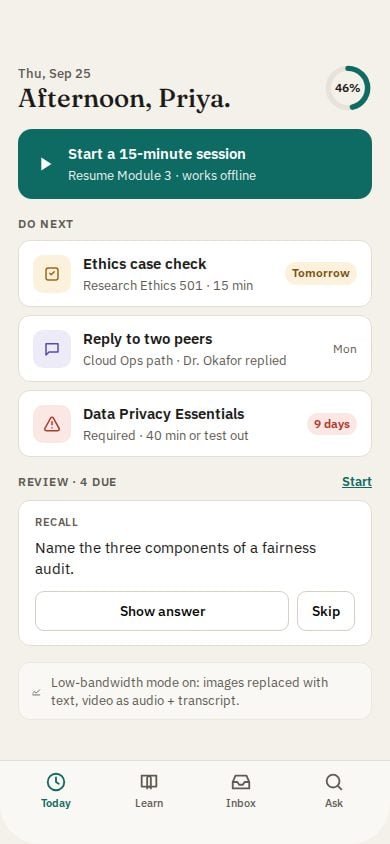
 ### Today on phone
Today on a phone: 15-minute session launcher, offline and low-bandwidth mode, review card.
### Today on phone
Today on a phone: 15-minute session launcher, offline and low-bandwidth mode, review card.
 ### Learning profile setup (learner onboarding)
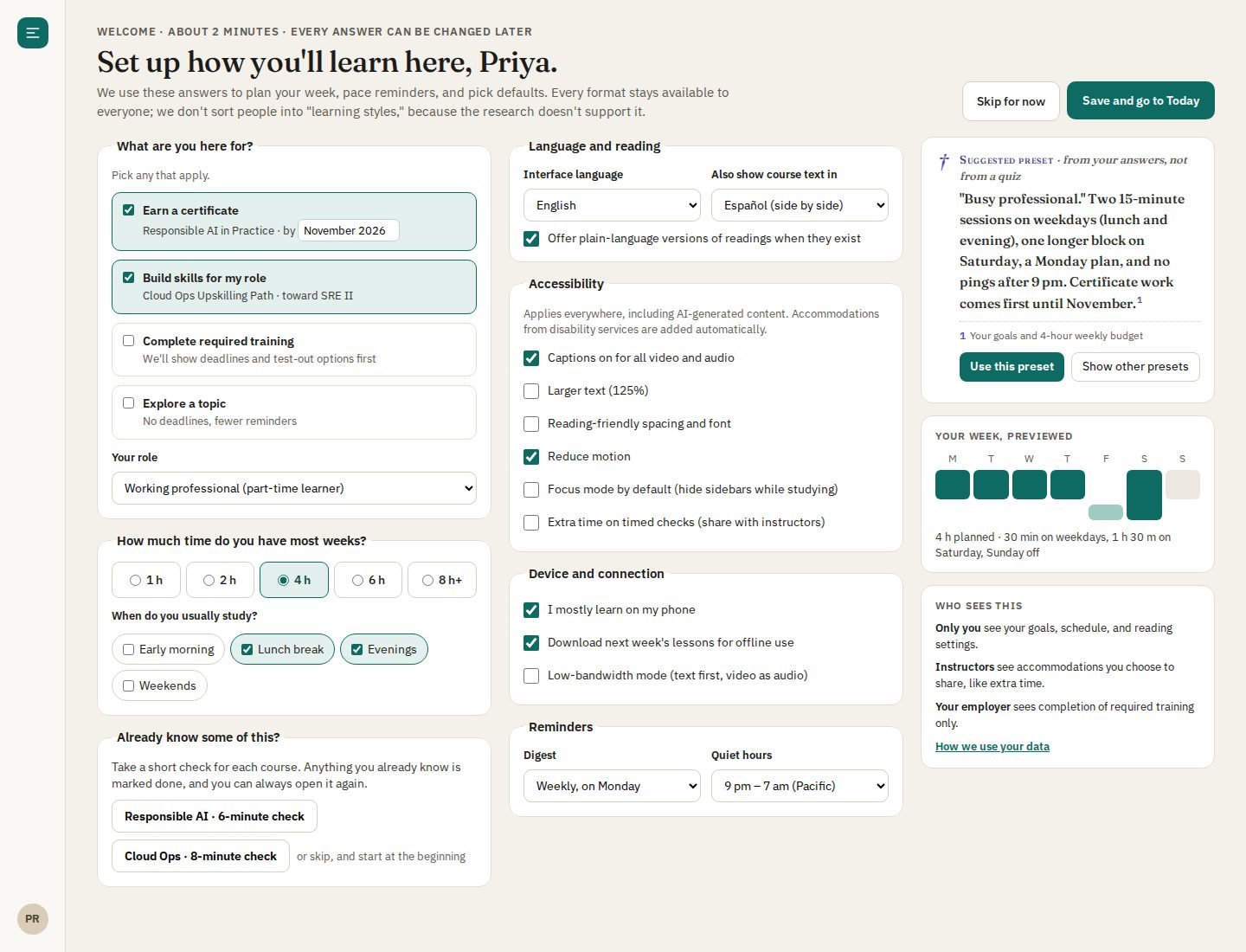
Learning profile setup: goals and role, weekly time and study windows, an optional pre-check to skip known material, language, accessibility, device and reminders, with an AI-suggested preset and a plain statement of who sees what.
### Learning profile setup (learner onboarding)
Learning profile setup: goals and role, weekly time and study windows, an optional pre-check to skip known material, language, accessibility, device and reminders, with an AI-suggested preset and a plain statement of who sees what.
 ## Author
### Prompt-to-course canvas (author)
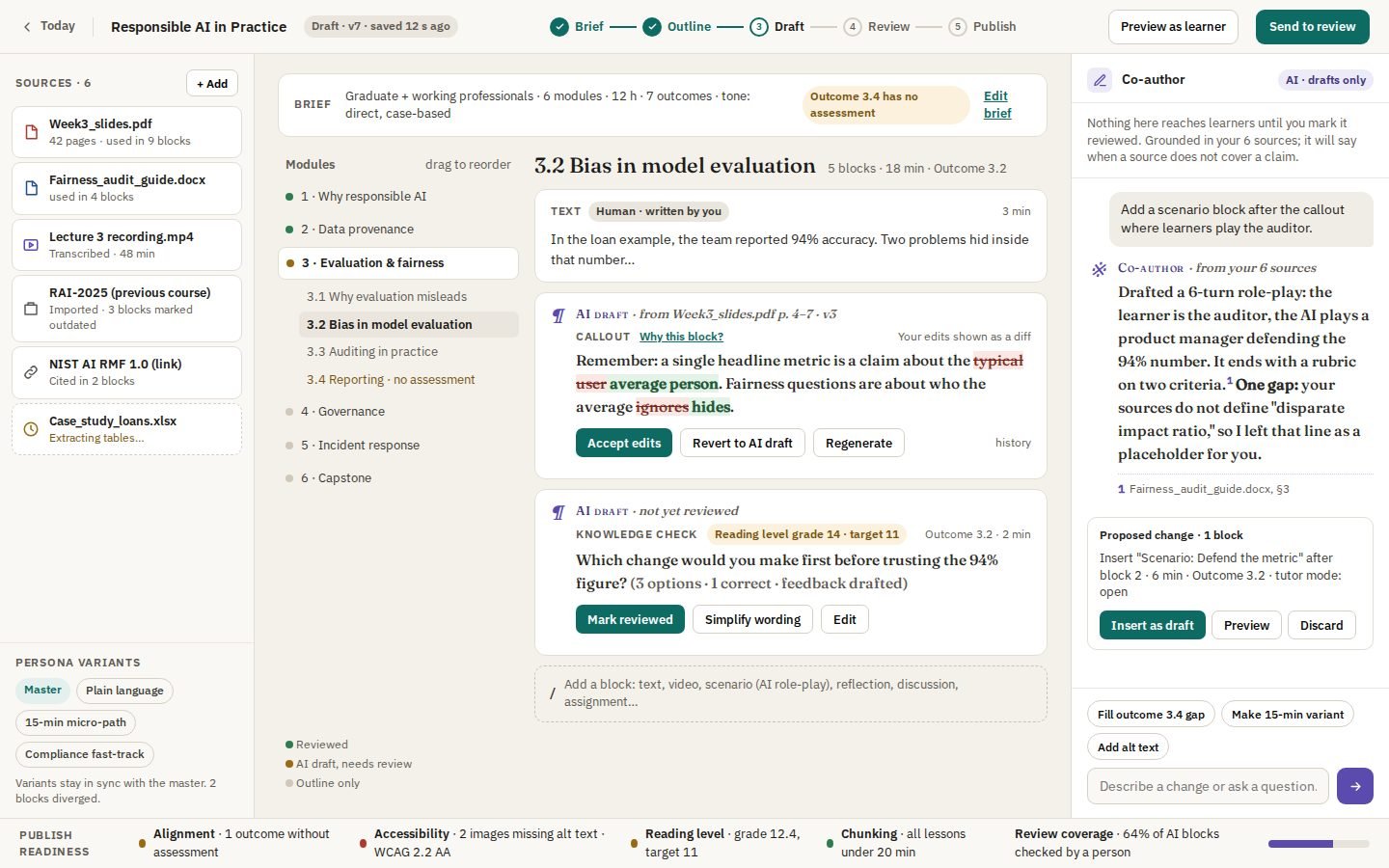
Prompt-to-course canvas: Brief → Outline → Draft → Review → Publish stepper, sources panel, provenance chips, tracked-changes diff, persona variants, and a publish-readiness bar.
## Author
### Prompt-to-course canvas (author)
Prompt-to-course canvas: Brief → Outline → Draft → Review → Publish stepper, sources panel, provenance chips, tracked-changes diff, persona variants, and a publish-readiness bar.
 ## Instructor
### Instructor command center
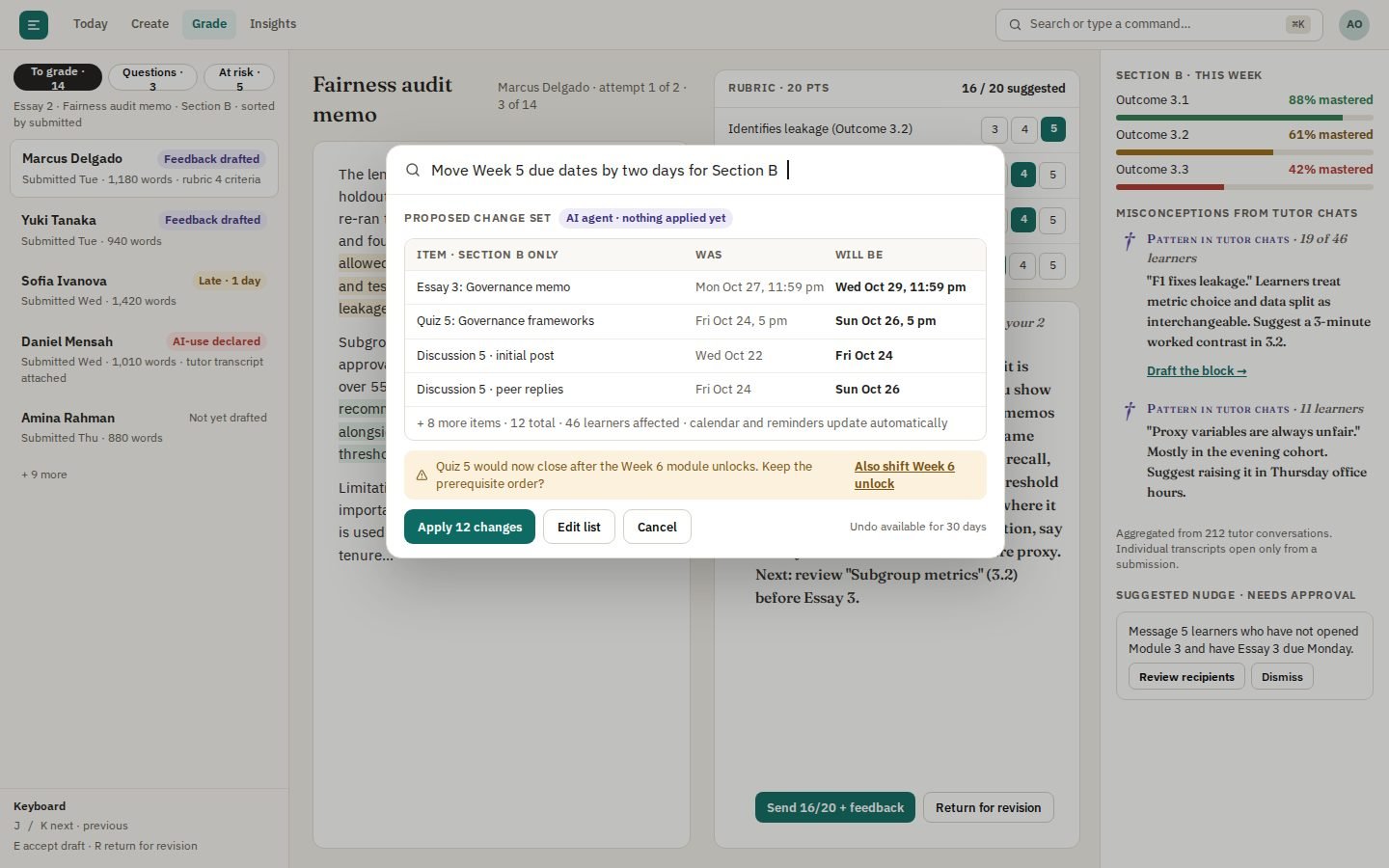
Instructor command center: keyboard triage, submission + rubric side by side, labeled AI-drafted feedback, class misconceptions from tutor chats, and a ⌘K change-set preview.
## Instructor
### Instructor command center
Instructor command center: keyboard triage, submission + rubric side by side, labeled AI-drafted feedback, class misconceptions from tutor chats, and a ⌘K change-set preview.
 ### Tutor settings by activity (instructor)
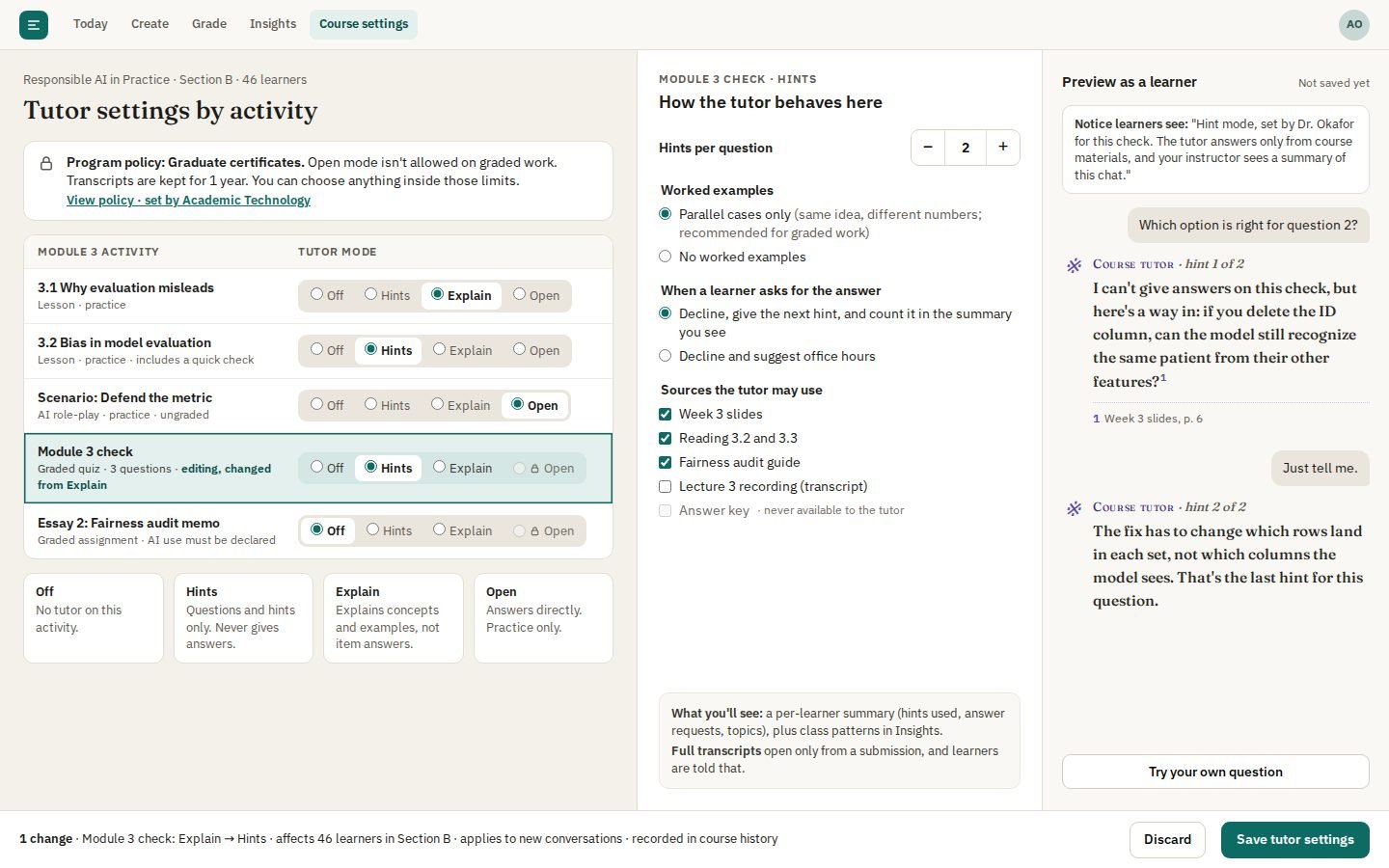
Tutor settings by activity: Off / Hints / Explain / Open per activity inside program limits (locked options say why), hint count, answer-request handling, allowed sources, and a live learner preview.
### Tutor settings by activity (instructor)
Tutor settings by activity: Off / Hints / Explain / Open per activity inside program limits (locked options say why), hint count, answer-request handling, allowed sources, and a live learner preview.
 ## Admin
### Governance & outcomes console (admin)
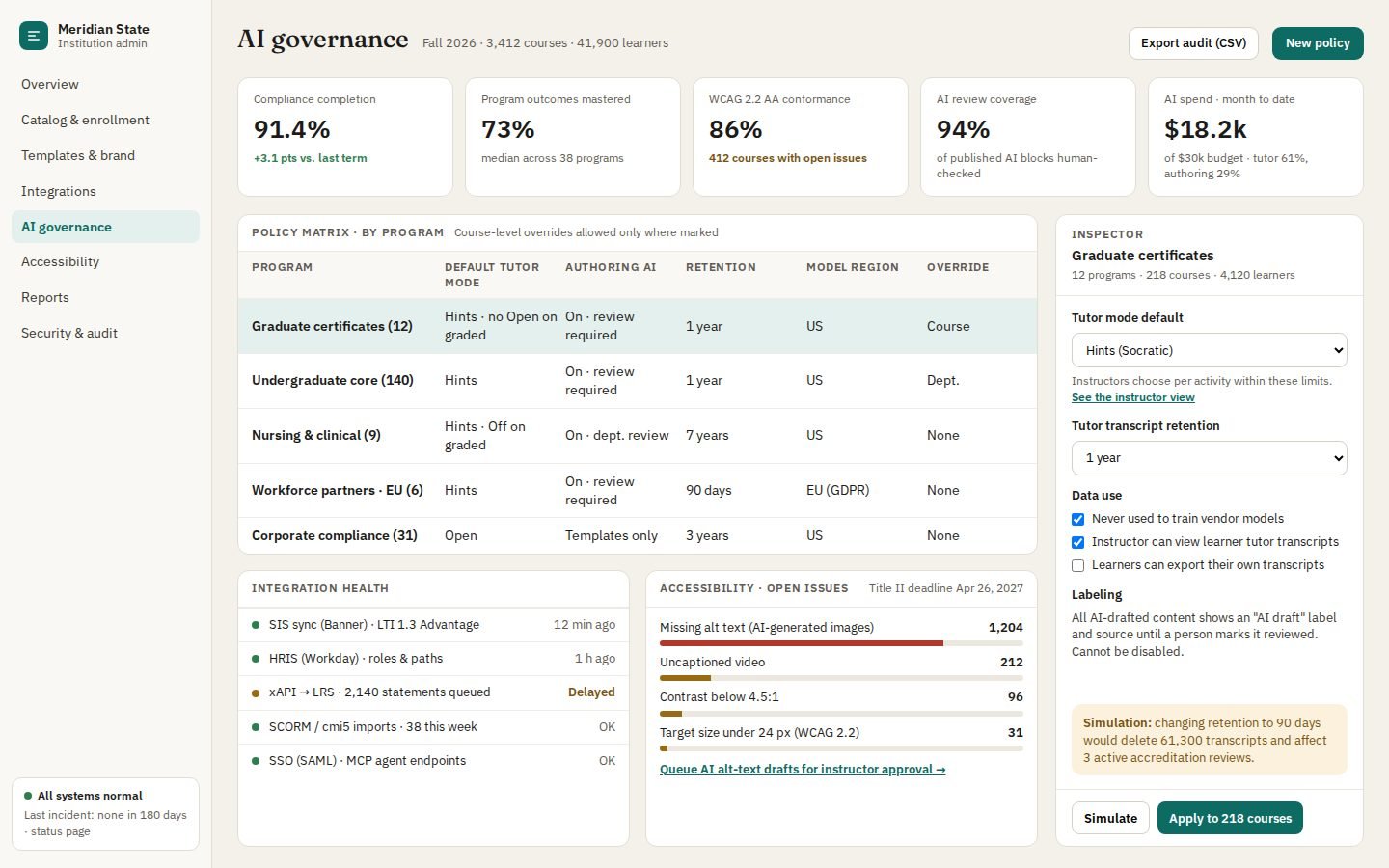
Governance & outcomes console: KPI strip, AI policy matrix, integration health, accessibility audit, and a policy inspector that simulates before applying.
## Admin
### Governance & outcomes console (admin)
Governance & outcomes console: KPI strip, AI policy matrix, integration health, accessibility audit, and a policy inspector that simulates before applying.
 ## Clickable prototype
Try it yourself: [the learner flow](https://tessera.edstratumlabs.ai/prototype/).
### Today
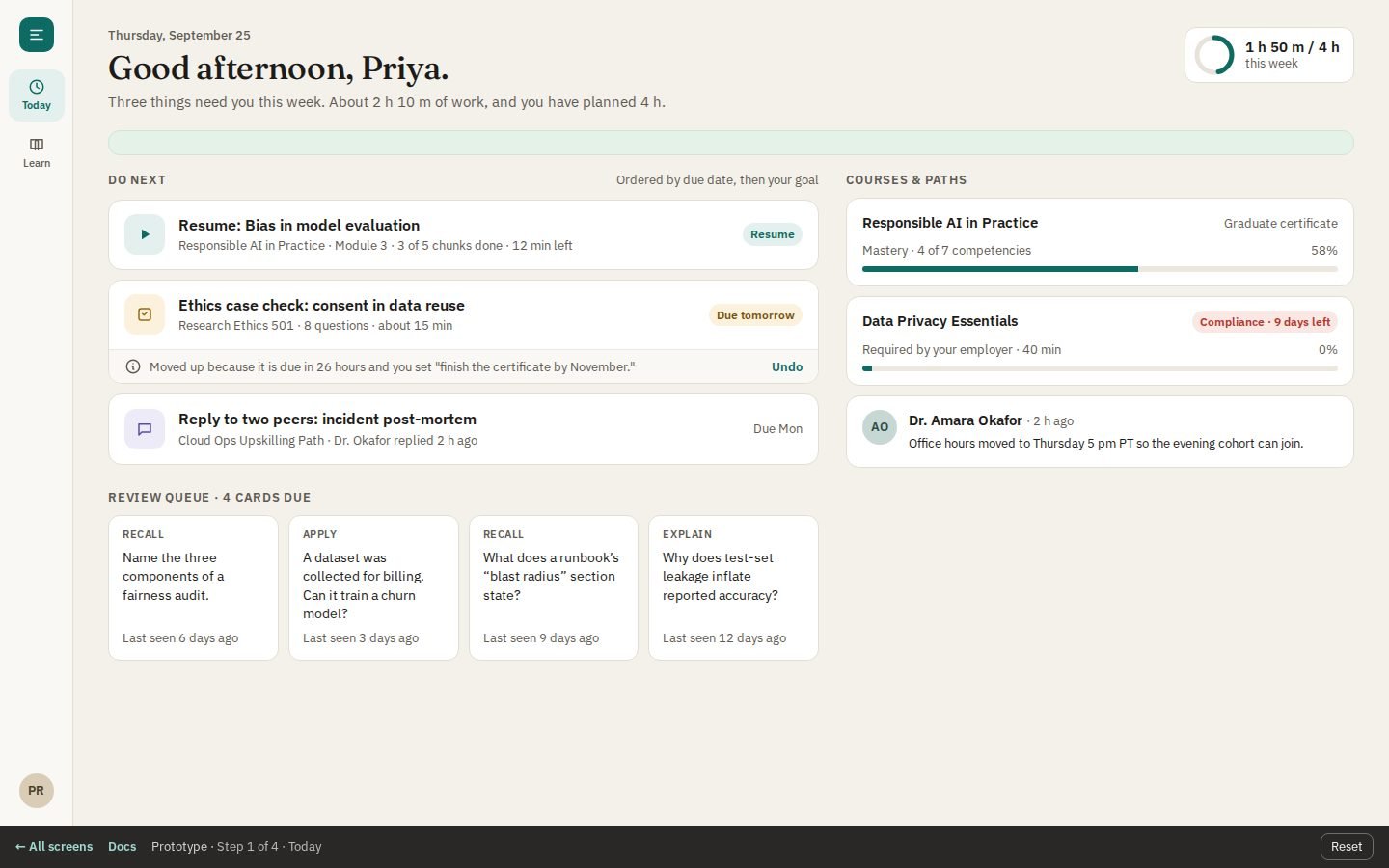
The learner's cross-course "Do next" list, weekly time budget, review queue, and mastery.
## Clickable prototype
Try it yourself: [the learner flow](https://tessera.edstratumlabs.ai/prototype/).
### Today
The learner's cross-course "Do next" list, weekly time budget, review queue, and mastery.
 ### Lesson with the hint-first tutor
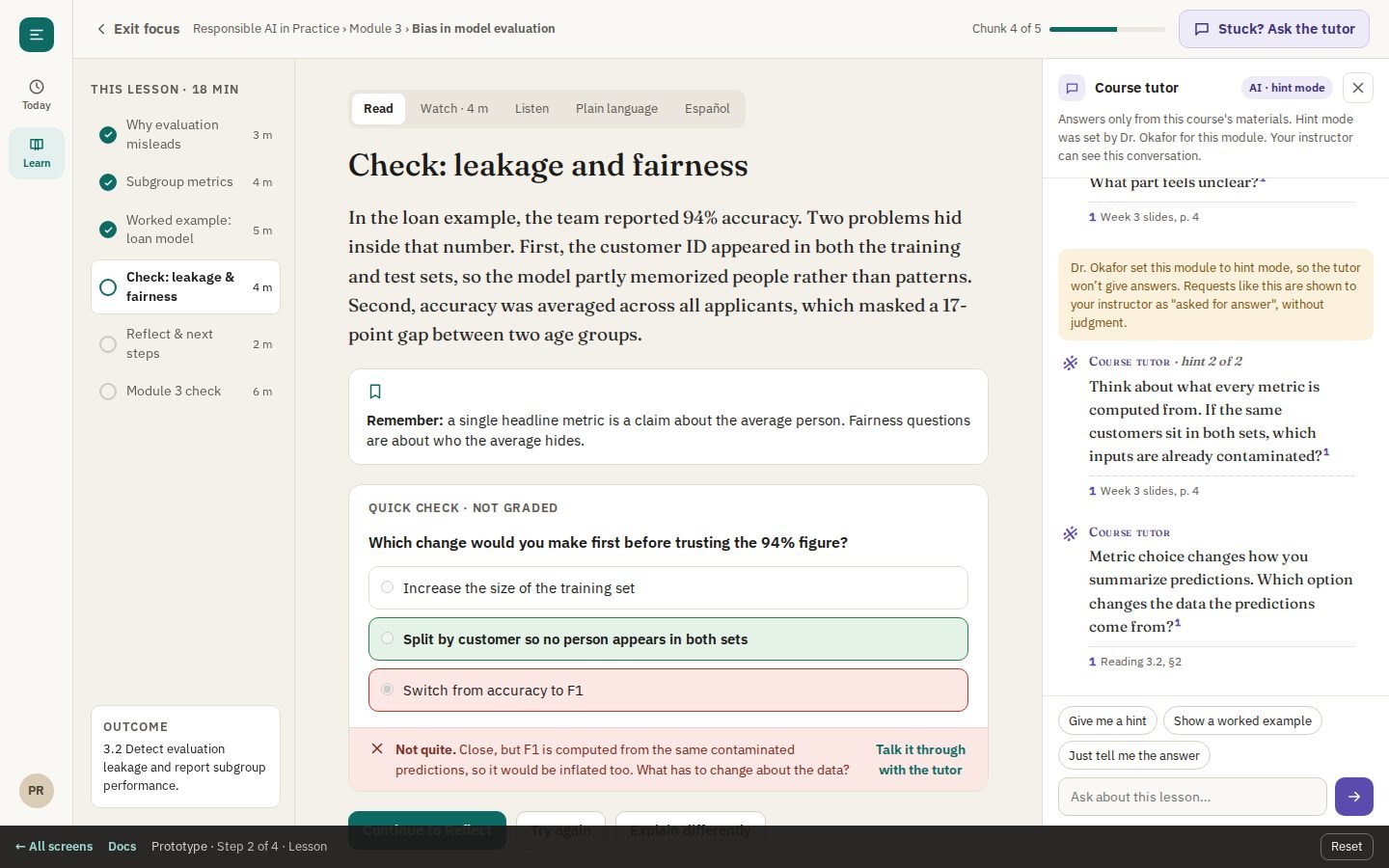
A wrong answer on the knowledge check, then the tutor giving a hint and declining to give the answer.
### Lesson with the hint-first tutor
A wrong answer on the knowledge check, then the tutor giving a hint and declining to give the answer.
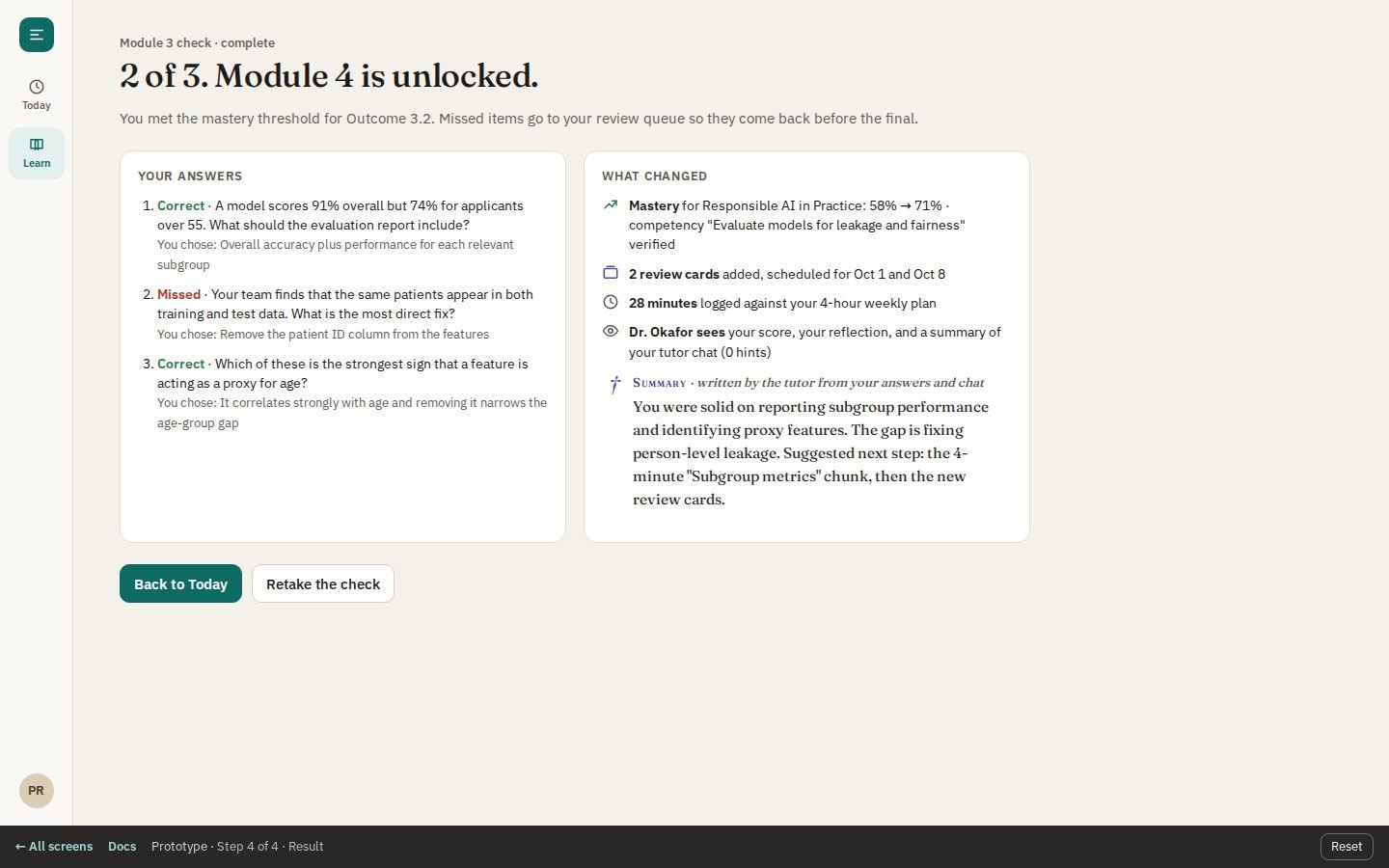
 ### Module check result
What changed after the check: mastery, new review cards, time logged, and what the instructor sees.
### Module check result
What changed after the check: mastery, new review cards, time logged, and what the instructor sees.